Persistent terminals,
everywhere
Launch and manage terminal sessions that survive disconnects. Monitor remote instances, view everything in a grid, and get notified when they need attention.
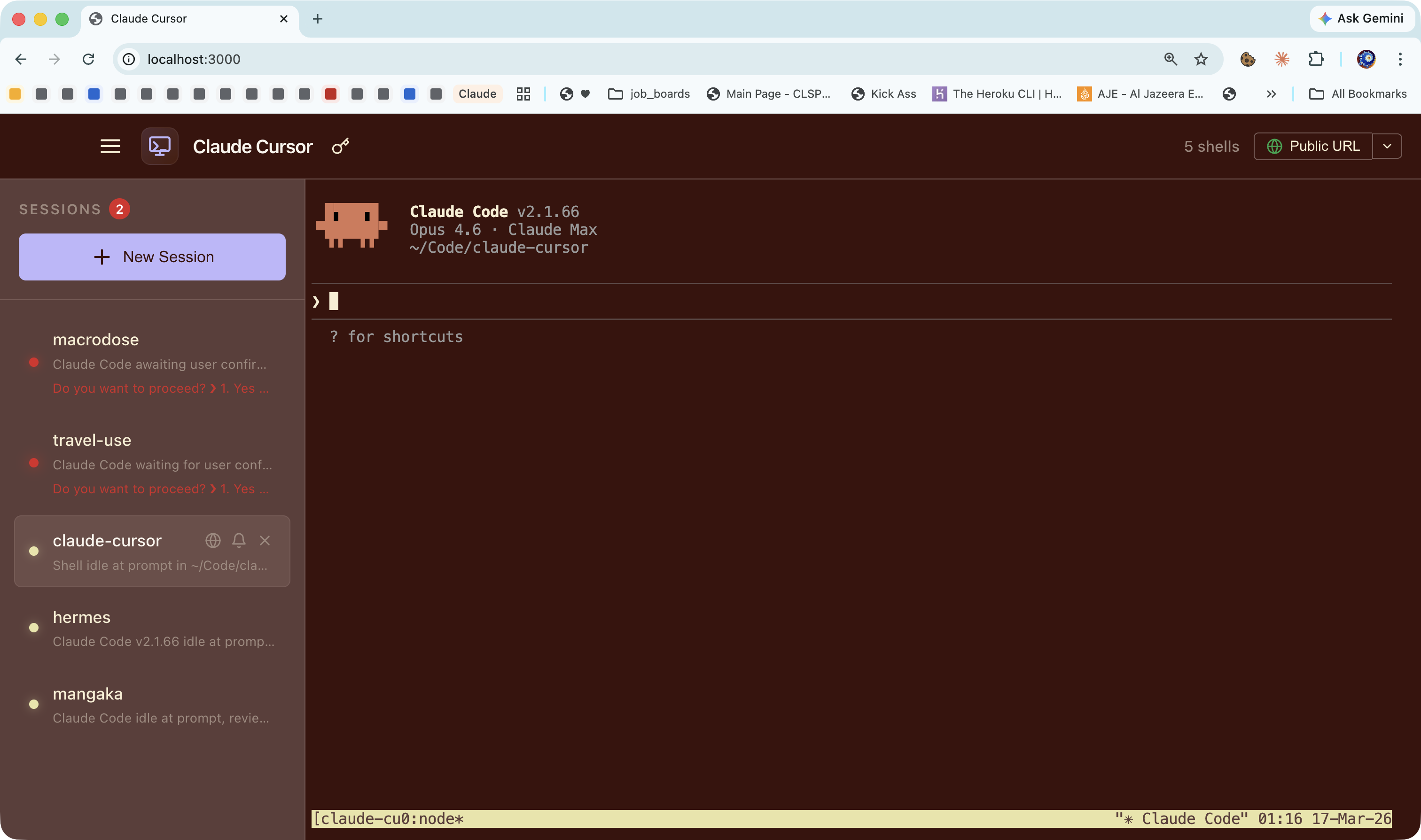
Everything you need
A complete terminal management solution for developers who run long tasks.
Persistent sessions
Powered by tmux under the hood. Sessions survive browser disconnects, server restarts, and SSH drops. Reconnect anytime.
Browser-based access
Access your terminals from any device with a browser. No SSH keys, no port forwarding. Just open the URL.
Slack & Discord alerts
Get notified when a session needs input — approval prompts, password requests, or task completions. Reply directly from chat.
AI-powered detection
Uses Claude Haiku to detect when a terminal is waiting for input. No more checking back — it watches for you.
Multiple shells
Bash, Zsh, Fish, or Sh — use whichever shell you prefer. Create as many sessions as you need, each with its own shell.
Cloudflare Tunnel
Auto-starts a Cloudflare tunnel so you can access your sessions from anywhere. Share the URL — no port forwarding needed.
Remote sessions
Connect to other Claude Cursor instances via cloudflared URLs or share links. Monitor their sessions alongside your own.
Grid view
View all running terminals simultaneously in a resizable grid. Adjust the size with a slider — auto-wraps with scroll.
Broadcast input
Press Shift+Enter to send Enter to every running session at once — local and remote. Perfect for batch confirmations.
See it in action
A walkthrough of how Claude Cursor keeps your terminal sessions running and keeps you informed.
Create sessions instantly
Spin up a new terminal session in one click. Choose your shell, name it, and start working. Each session gets its own tmux instance that persists across disconnects.
Smart action detection
Claude Cursor watches your terminals and detects when they need attention — approval prompts, password requests, or completed tasks. No more checking back manually.
Notifications where you work
Get Slack or Discord alerts when a session needs input. See the prompt, expand the terminal context, or reply directly from your chat app to send input to the terminal.
Access from anywhere
Auto-starts a Cloudflare tunnel so your terminals are accessible from any device. Share the public URL with your team or access your sessions from your phone.
Monitor remote instances
Add other Claude Cursor instances by their cloudflared URL or share link. Their sessions appear in your sidebar alongside your own — monitor everything from one window.
Grid view for everything
Toggle grid view to see all your terminals at once. Drag the size slider to resize tiles — the grid auto-wraps and scrolls to fit.
Broadcast to all sessions
Press Shift+Enter to send Enter to every running terminal simultaneously. Great for batch approvals, confirmations, or restarting multiple processes at once.
Tip: tmux mouse mode
Claude Cursor uses tmux for session persistence. You can enable mouse scrolling and selection inside the terminal with tmux mouse mode:
ctrl+b set mouse onEnable mouse scrollback and text selectionctrl+b set mouse offDisable mouse mode to restore native copy/paste